Features
Plan your next novel with ease.
Scryla is built for authors who want structure, clarity, and momentum, without rigid templates or overwhelming complexity. Plan and refine with confidence, so you can always see the bigger picture.
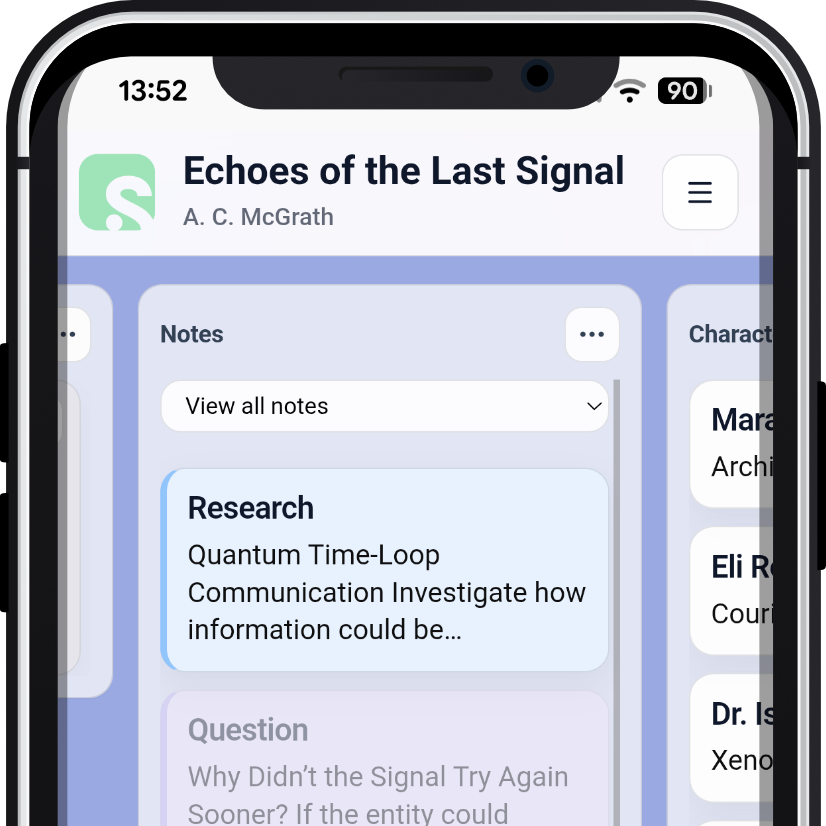
Scryla is a progressive web app, which means you can install it on desktop, phone, or tablet (or open it in your browser) and keep your planning workspace with you wherever you go.
Series Management
Plan each book. Shape the whole series.
A series is more than a row of separate projects. Scryla gives it a dedicated workspace where every book can keep its own identity while contributing to one connected, evolving story.
- Plan book order, roles, premises, conflicts, and each title's contribution to the wider series
- Build cross-book frameworks, long-running threads, setups and payoffs, and character journeys
- Maintain canonical characters, shared worldbuilding, continuity, and marketing assets in one place
- Open any linked book for detailed chapter, scene, character, and Story Map planning
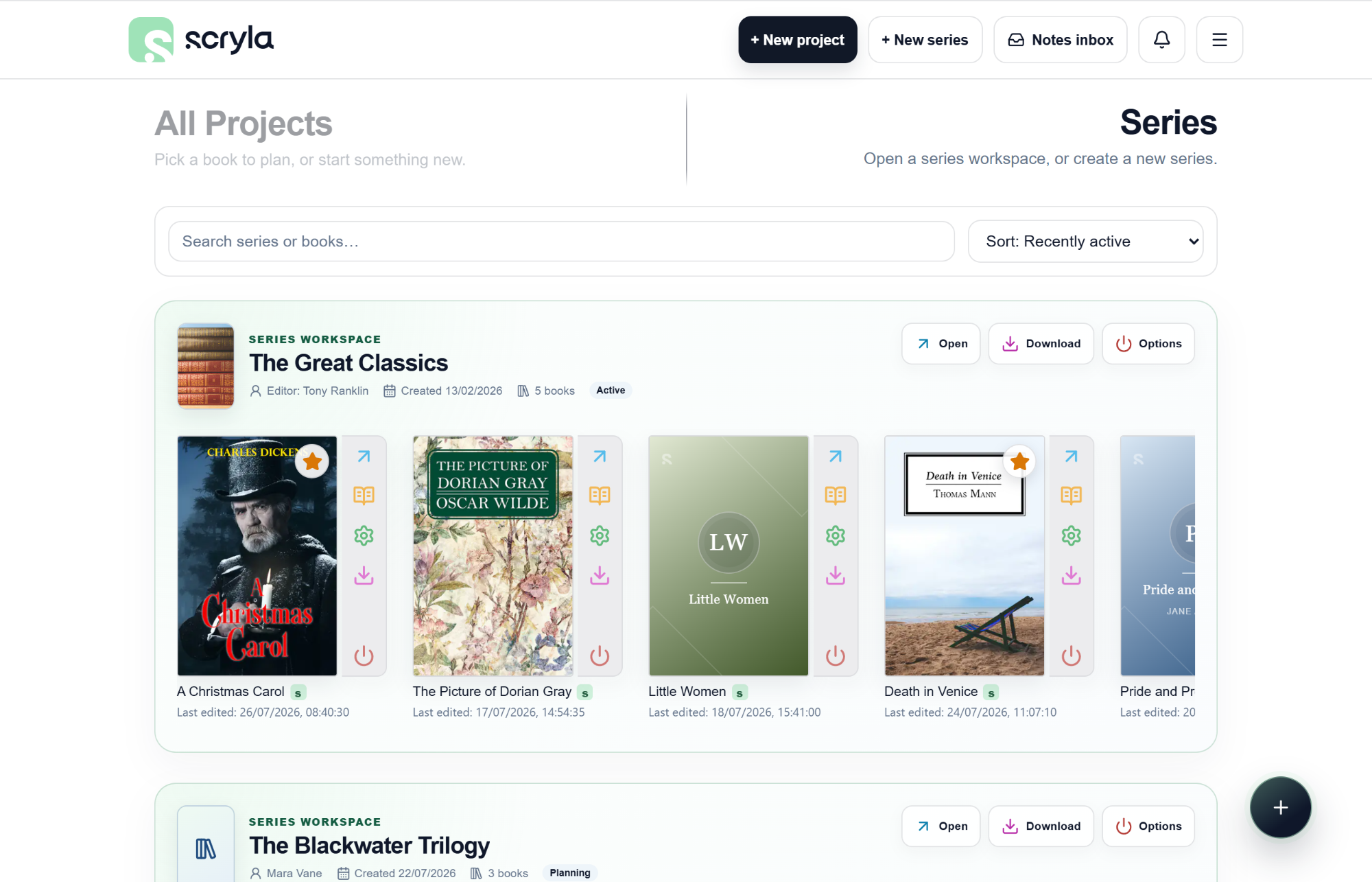
One workspace for the decisions, promises, and connections that span every book.
Smart character tagging
Write the scene and Scryla spots your cast.
Mention a character while shaping a chapter or scene and Scryla recognizes the name as you type. Tag the character instantly, without leaving your train of thought to search through profiles.
- Recognizes full names, aliases, and partial-name matches
- Shows every likely match when characters share a name
- Track character appearances across your story so you never lose track of where they are
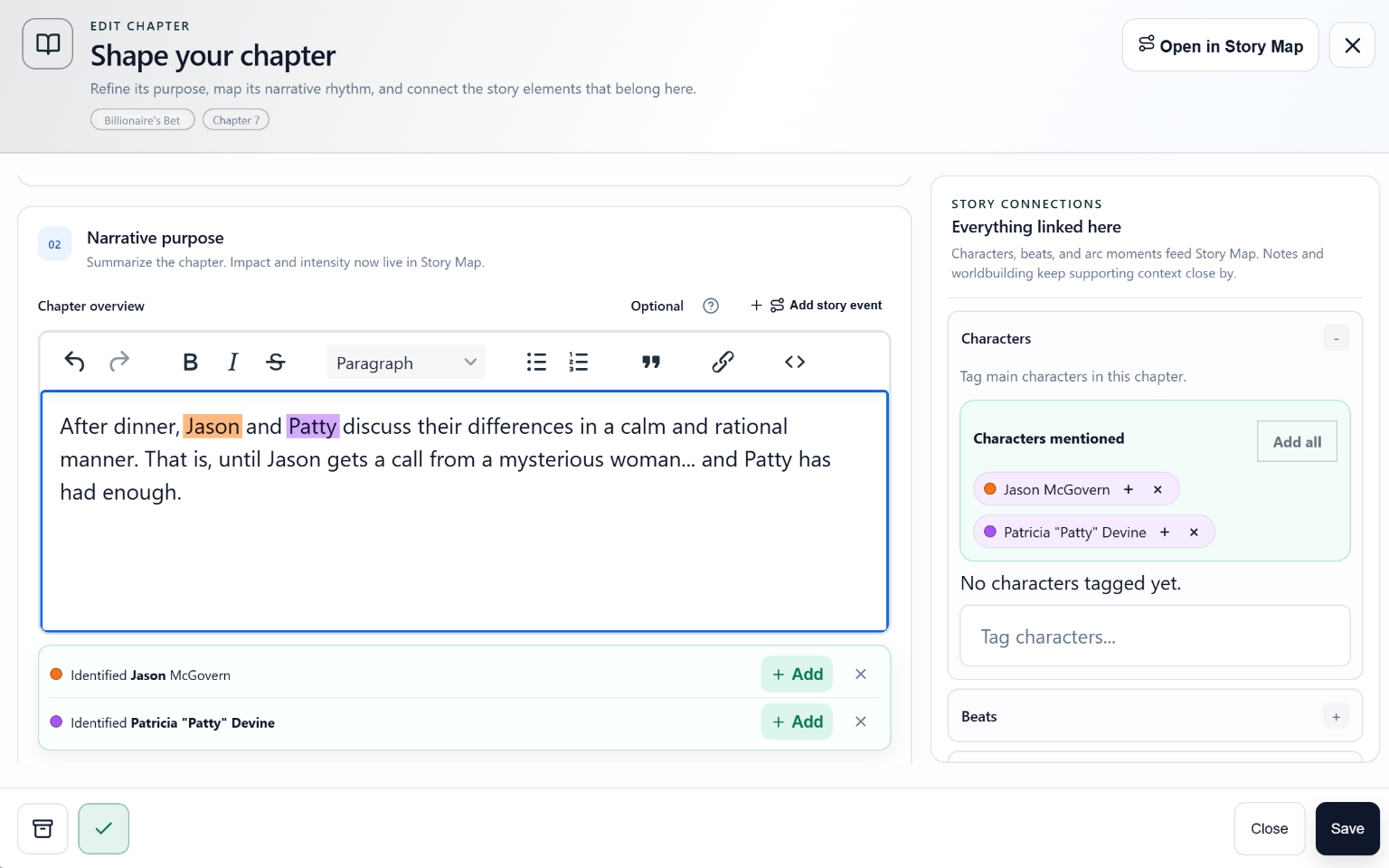
Scryla notices who you are writing about, so your story stays connected.
Plots & Subplots
See every storyline. Follow every turning point.
Give the central plot, secondary threads, and subplots room to develop without losing sight of how they serve the story. Scryla keeps each storyline connected and easy to follow from its first development to its resolution.
- Define each plot's central question, goal, conflict, stakes, and resolution
- Connect the characters whose choices shape the storyline
- Attach developments to chapters and drag-and-drop if the story changes
- Uses distinct colours to keep overlapping plots readable at a glance
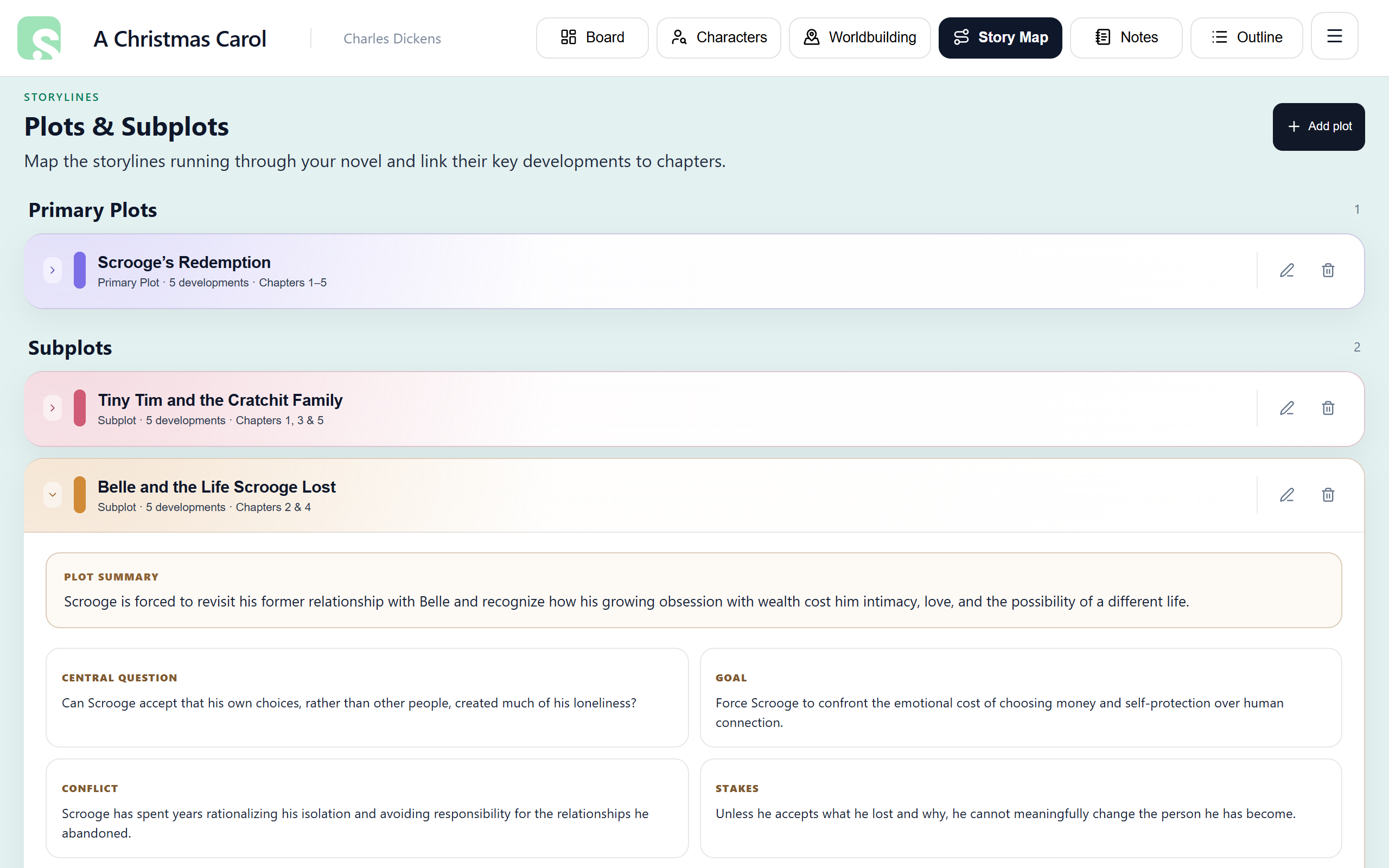
Build the purpose of every storyline, then follow its progress chapter by chapter.
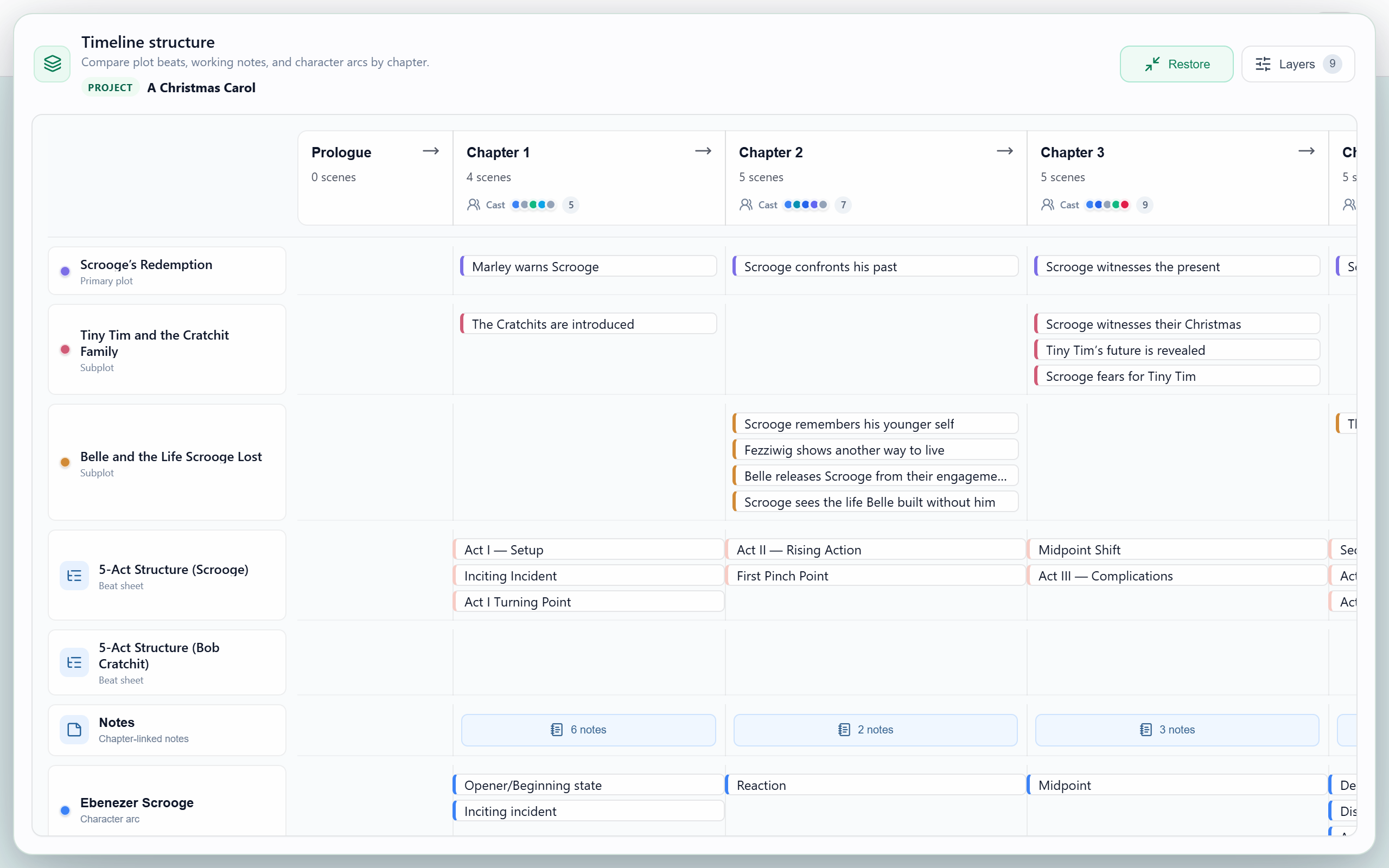
Bring plots, structural beats, notes, and character arcs together in one layered timeline.
Core Workspace
Project-based planning for every author.
Create multiple writing projects, keep series organized, and archive safely so you never lose the ideas you’ll want later.
Project-based planning
- Create and manage multiple writing projects
- Link series titles with reading order, book type, and series blurbs
- Upload and store world maps, images, research materials, and marketing assets
Board-based structure
- Visual boards for chapters, notes, characters, worldbuilding, and more
- Drag-and-drop ordering where you need it
- Quick-access views for your manuscripts, notes, characters and worldbuilding elements
Archive-first philosophy
- Archive cards to keep drafts, alternates, and "use later" ideas so nothing is wasted
- Restore archived items when your story changes direction
- Never lose your ideas or your story progress
Install Scryla anywhere
- Install Scryla on desktop, mobile, or tablet, or use it direct from your browser
- Launch Scryla like an app in its own native window
- Sign in to access your projects even when you're on the road
Chapters & Scenes
Flexible chapter design...
Even if you change your mind.
Capture what you need, when you need it. Scryla supports structure without forcing you into a single method. Add, delete, reorder, and archive chapters and scenes with live previews, so you can always see the story as it unfolds.
- Chapters: titles, optional subtitles, and overviews put you in constant control
- Scenes: add, reorder, complete, archive, and restore with live previews
- Narrative signals: Story Impact (Revelation, Confrontation, Fallout, etc.) and Intensity help track narrative weight
- Mobile-friendly: Visualize your story as you build it, even on smaller screens.
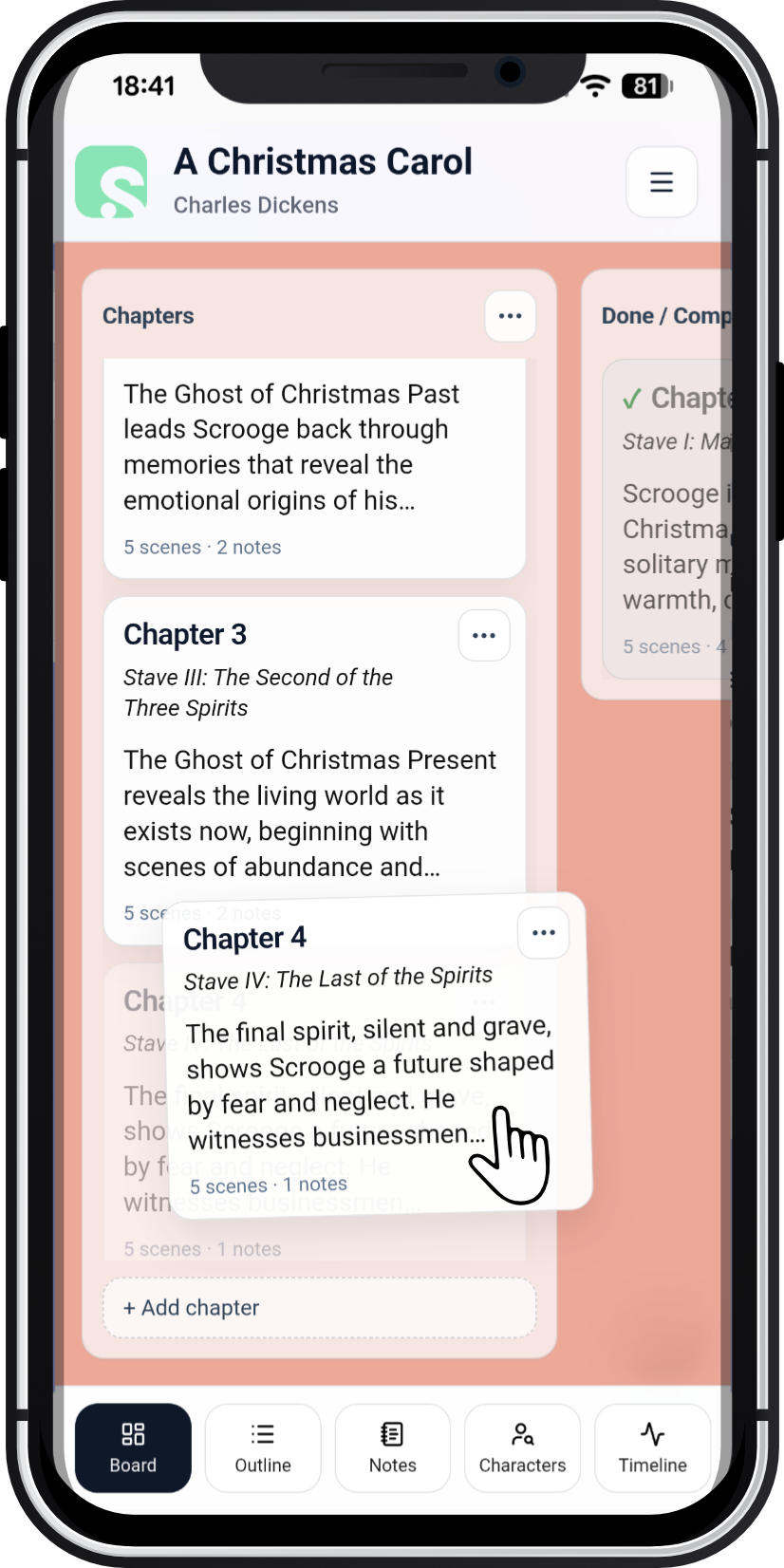
Built-in drag-and-drop means you're always in control
Outline & Export
See the whole story at once. Export anytime.
When it’s time to review offline, share with an editor, or file away for later use, exporting your outline is one click away.
Continuous outline view
A clean, scrollable view that matches how writers actually review structure.
- Chapter titles & subtitles
- Chapter overviews
- Scene descriptions
- Export as a formatted Word document
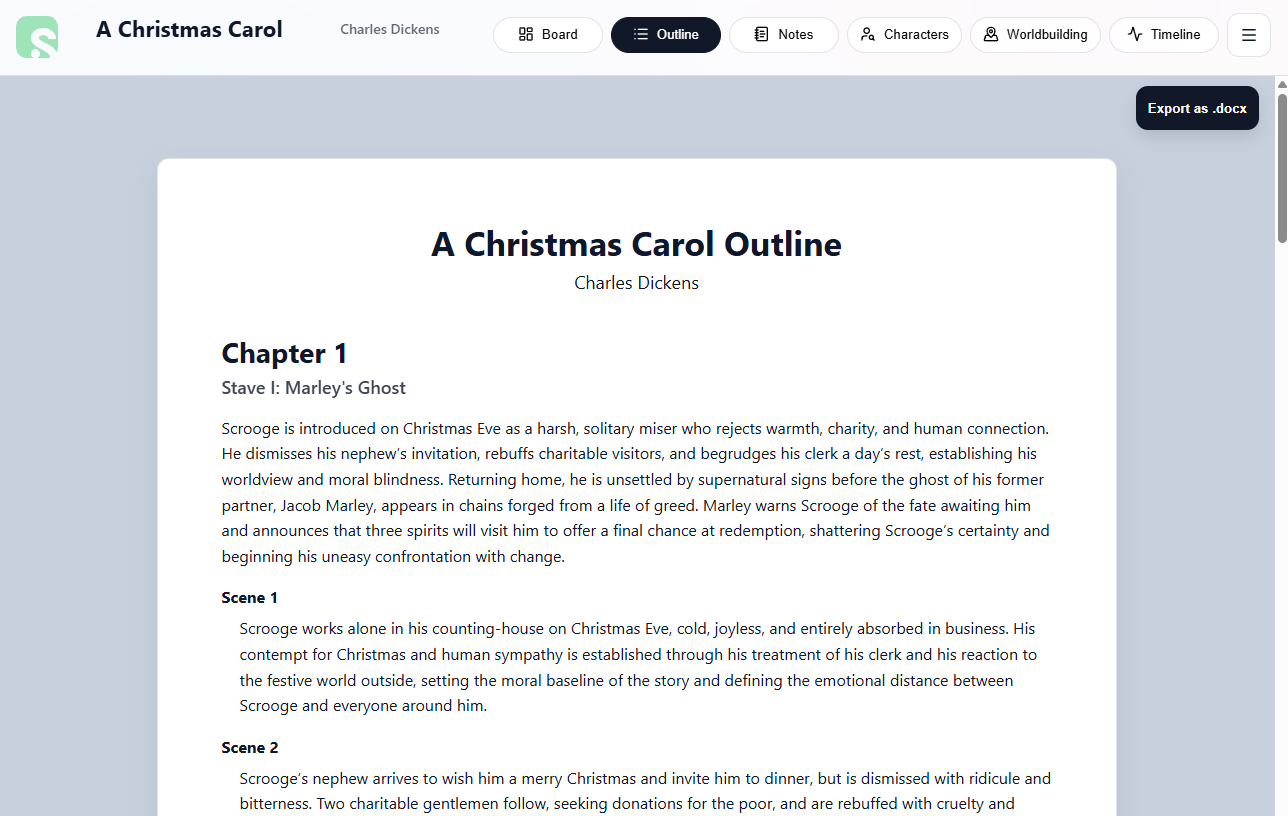
Your entire outline is built automatically from chapter and scene data
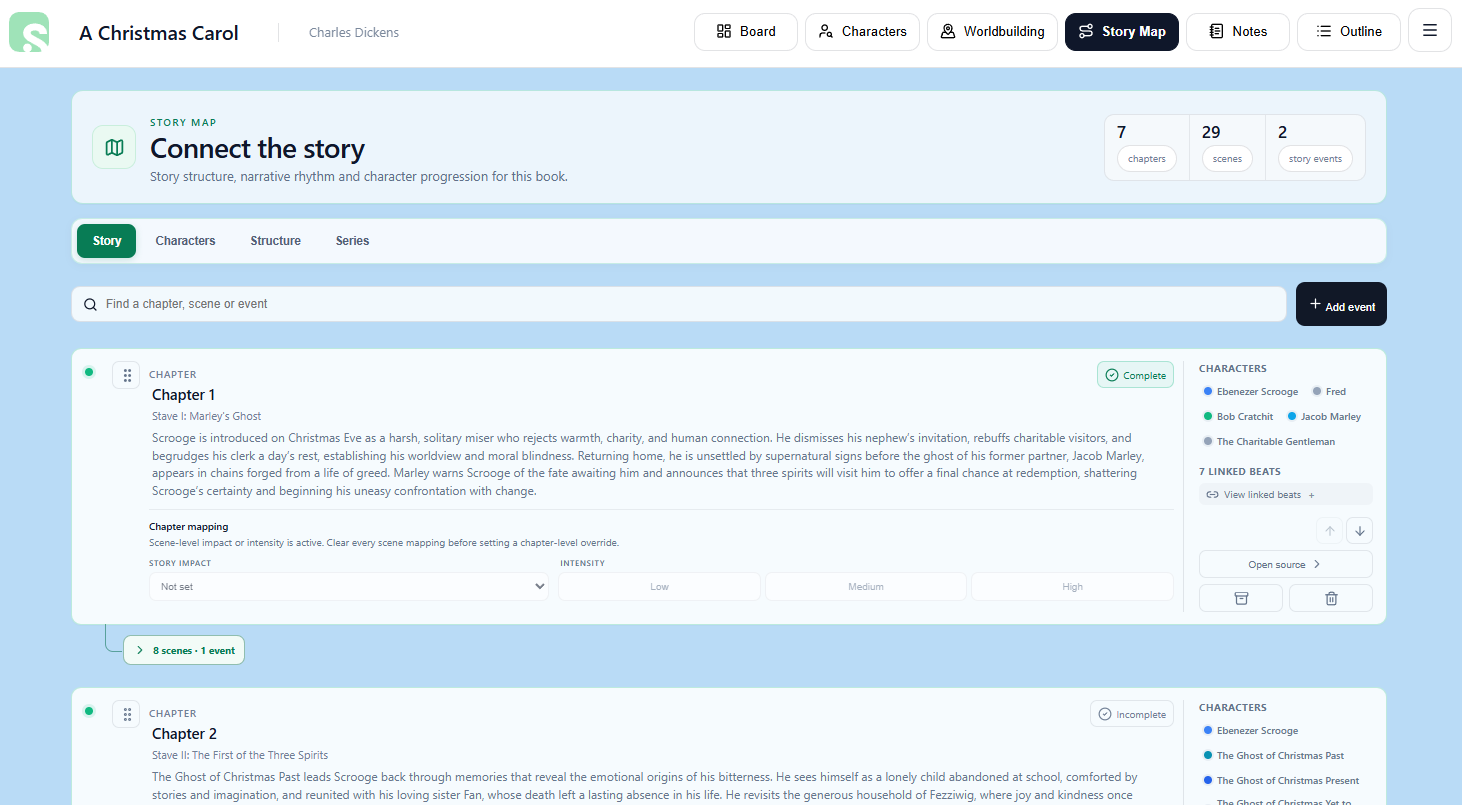
Map your story. Follow chapters, scenes, and story events in one connected view.
Story Map
See how every part of your story connects.
Turn chapters, scenes, story events, and character journeys into a clear visual map. Follow the shape of your novel, spot gaps, and move straight to the part that needs your attention.
- Follow chapters, scenes, and story events in narrative order
- Track story impact and intensity to understand pacing at a glance
- Explore character arcs, key moments, relationships, and appearances
- Open the source chapter or scene directly whenever something needs work
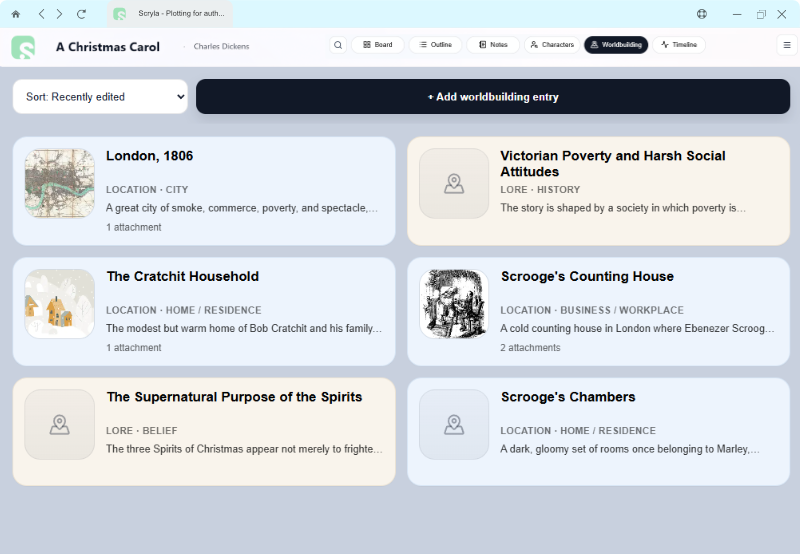
Worldbuilding
Plan your universe from start to finish.
Our worldbuilding tool is designed to keep track of your maps, locations, and lore without getting in the way of your story.
- Upload world maps and visual references
- Search and filter your lore from your locations
- Easily reference your related chapters and characters
- Track worldbuilding elements across your entire series
Structure
Beat sheets that fit your story.
Use one of Scryla's 30 story templates, build your own, or fly by the seat of your pants. Scryla helps you keep everything in one place and connect story beats to chapters and characters to help your planning process.
Multiple beat sheets per project
- Use story templates or create your own
- Track which narrative beats you've completed
- Map beats to chapters for full coverage
Character-aware beats
- Tag characters directly in beats
- Track how each character moves through the story
- Build arcs alongside structure without splitting tools
Scryla doesn't limit your scope. Whether you're drafting a billionaire romance, a high fantasy epic, or a short story, Scryla's flexible tools help you plan and track your story without forcing you into a single method.
Choose from 30 story frameworks including: Hero's Journey, Save the Cat, Three Act Structure, Heroine's Journey, Seven-Point Story Structure, Plot Embryo Method, and more. Or build your own!
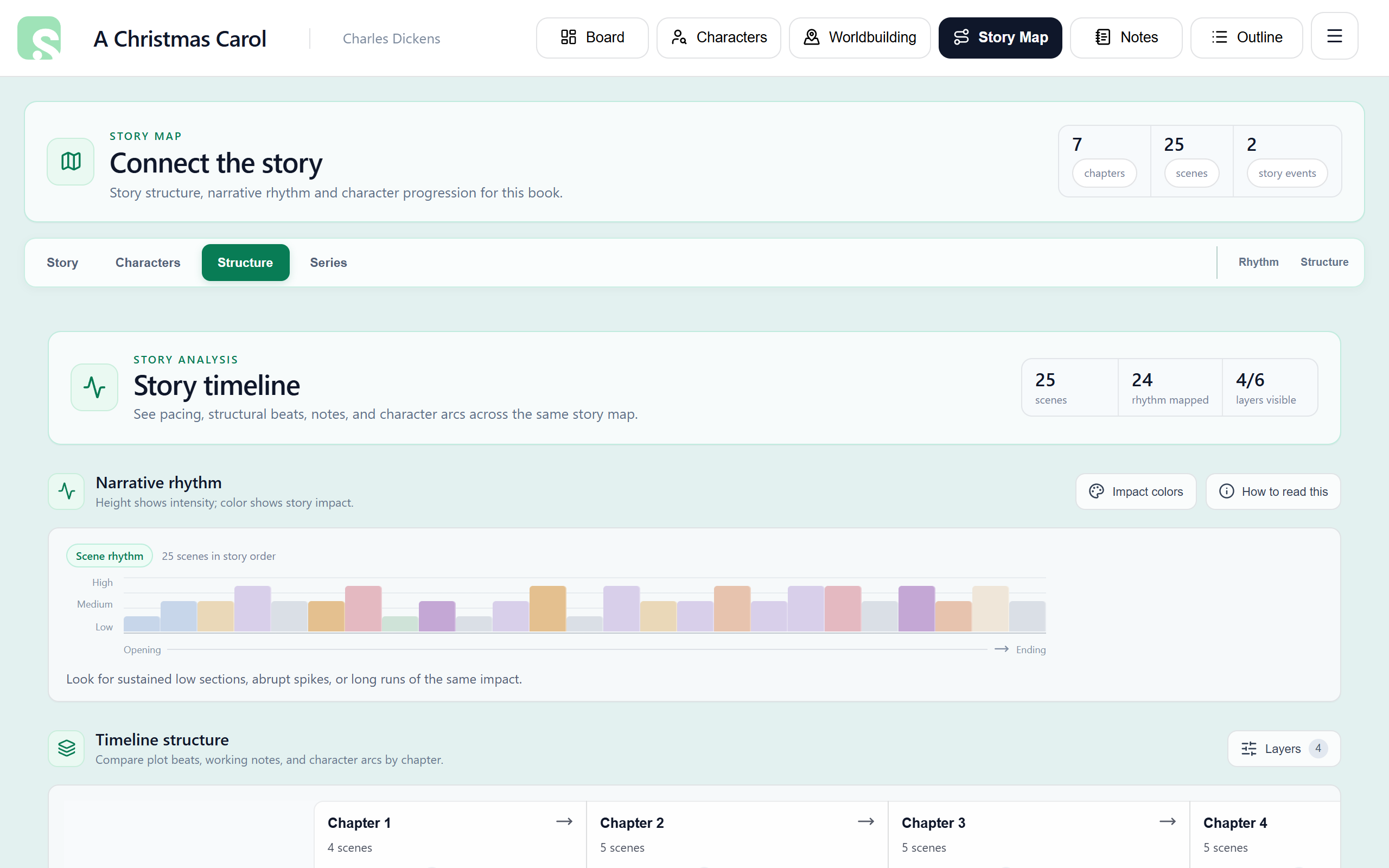
Timeline View
Spot pacing, coverage, and structural issues in seconds.
The Timeline view brings chapters, narrative beats, character arcs, and notes into one visual map, so you can understand what's happening (and what's missing) without digging through research.
- Visualize story impact and intensity across the whole plot
- Layer narrative beats, character arcs, and chapter-related notes for fast coverage checks
- Jump straight to a chapter when something needs work
- Perfect for authors who need granular control over their story's structure
Characters & Notes
Keep characters, research, and reminders connected.
Scryla keeps your planning context close so you’re not switching between docs, spreadsheets, and sticky notes just to remember what you meant.
Character profiles
Notes, descriptions, and development space with full formatting support for your characters.
- Fast, flexible character entries
- Upload character art or avatars
- Link characters to narrative beats and chapters
Character arcs
Our built-in 9-beat arc template helps you track character development across the story, while still allowing for custom beats.
- Track character progression
- Customizable character arc beats
- Built to stay flexible across genres
Notes & cross-referencing
Worldbuilding, research, themes, and reminders keep you close to the plot no matter where you are.
- Free-form notes for ideas and research
- Tag notes against chapters for instant recall
- Store important research files for easy reference
Control your manuscript archive
Store draft versions and track your final copy.
Upload and track your manuscript drafts in a dedicated project archive area. Pin your final draft for easy access and export, while keeping your work-in-progress safe and organized.
- Never lose track of your
final-final-USE-THIS-ONE.docxversion! - Upload from your computer and access anywhere
- Version-control your story where it counts
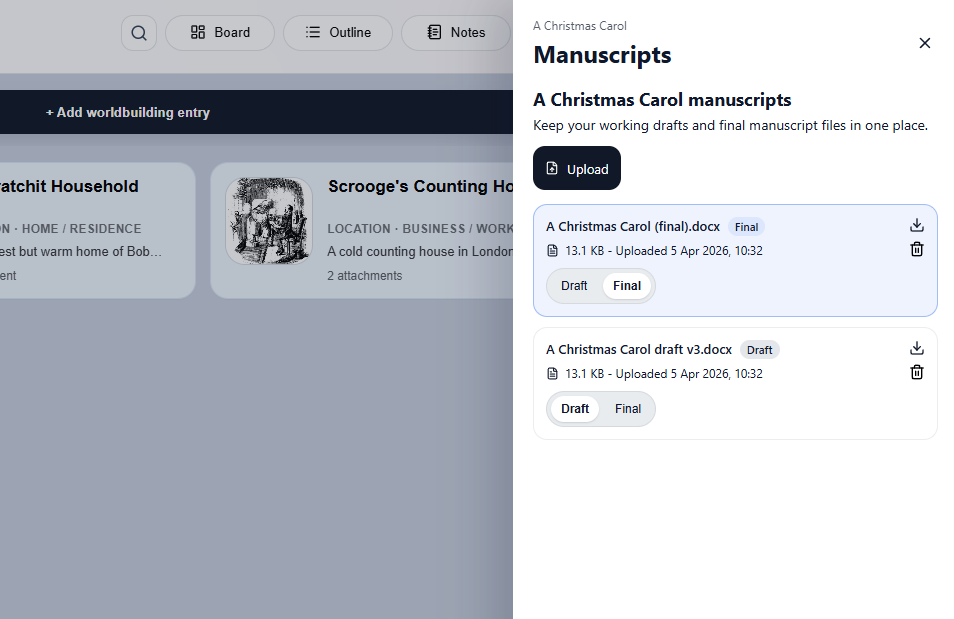
Your secure manuscript vault keeps your files with you at all times
Safety & Control
Stability you can trust for long projects.
Novels and series evolve. Scryla is designed for real writing timelines, with safe defaults, clear states, and reliable tracking.
Reliable project tracking
- Archive-first actions so you don’t lose important work
- Track changes across projects and series
- “Recently edited” timestamps ensures consistency
- Backend-driven autosaves for accuracy
Service transparency
- Your work is owned by you. Always
- Clear, deliberate actions for archival and deletion
- Built on stable, durable technology
- Reliably check our service status at any time
What’s Next
Scryla is actively evolving.
Planned features build on what Scryla does best: scenes, beats, impact, worldbuilding, and outlines. You can get deeper insight without extra work.
Want an app-like experience? Installing Scryla is easy. Curious what’s coming next? View the roadmap.